Project boards
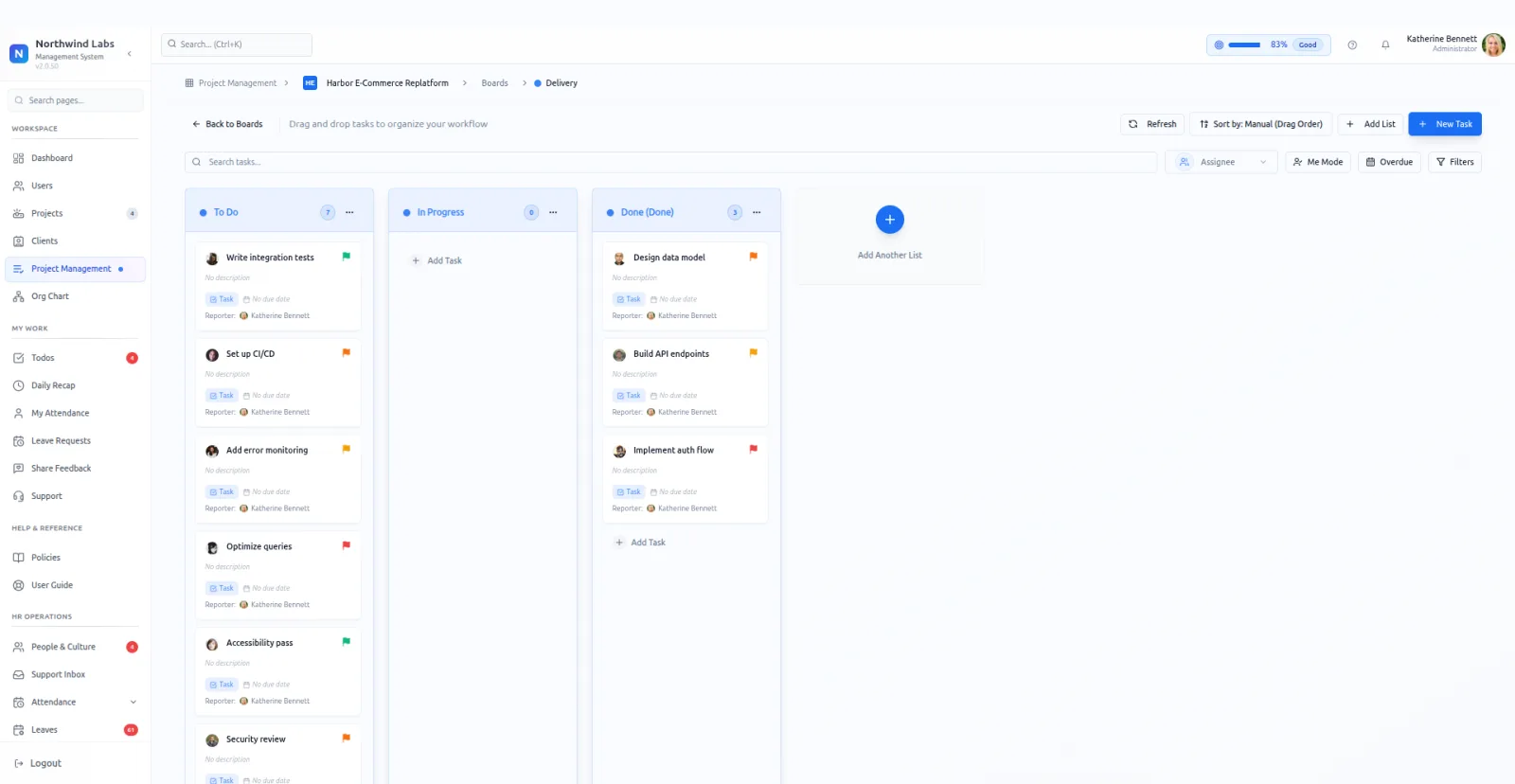
Boards here sit inside a project rather than floating above the company. Open a project, open its board, and the columns hold that project's work and nothing else.
Each project owns its boards. A project can run several, and each board reports its own task count and its own progress.
Boards are split into active and completed, so finished work stops crowding the view without being deleted.
Tags are managed per board. A tag groups cards across columns, which is how a board separates two streams without adding two more columns.
Cards move by drag. Progress on the board rolls up into the Tasks score shown on the project itself.
Keeping boards inside a project keeps them readable, because only one client's work is ever on them. The projects list gives the company-wide view, with each project's task progress as a score.
A project that runs several boards usually splits them by stage or by discipline. Design on one, build on another. Each reports its own numbers, so a slow board is easy to spot.
Completing a board is the step most teams forget. Moving it out of the active view is what keeps the project page honest about how much work is really open.
Tags do the job that extra columns get used for badly. Two streams of work can share five columns and stay separable, and the board stays narrow enough to read on a laptop.
What it does
- Several boards per project
- Build one board per workstream inside a project. Each reports its own count and its own progress.
- Active and completed split
- Finished boards move out of the working view and stay readable.
- Tags managed per board
- Tags group cards inside a board without adding columns.
- Progress feeds the project score
- Board progress rolls into the Tasks percentage on the project record, so the portfolio reflects the columns.
What it needs before it works
- A project has to exist. Boards have no home outside one, so there is no way to make a board first and file it later.
- The projects and boards permission decides who can edit. Commenting on a card you can already see is part of the baseline everyone gets.
- Tags want a short agreed list. A board with forty tags sorts nothing.
- Columns want naming before the first card lands. Renaming a column once fifty cards sit in it is the sort of job that never gets done.
Questions people ask
How do I see progress across every project?
On the projects list. Each board's progress rolls into its project's Tasks score, so the portfolio shows every project side by side.
Are these the same as the todo lists?
No. Todo lists are personal or shared between people and have no project behind them. Boards hold project work and report into the project's score.
Can a project run more than one board?
Yes. Split by stage or by discipline, such as design on one and build on another. Each board reports its own task count and progress.