Org chart software drawn from your reporting lines
Org chart software shows who reports to whom across the whole company, as a picture you can read in a minute. Most charts rot because they live in a slide deck somebody updates twice a year. PeopleMuster draws yours from the reporting lines already in the directory, so it's as current as the records behind it.
Nobody draws anything. Each person names who they report to, and the hierarchy falls out of that field. Change the field, and the picture changes.
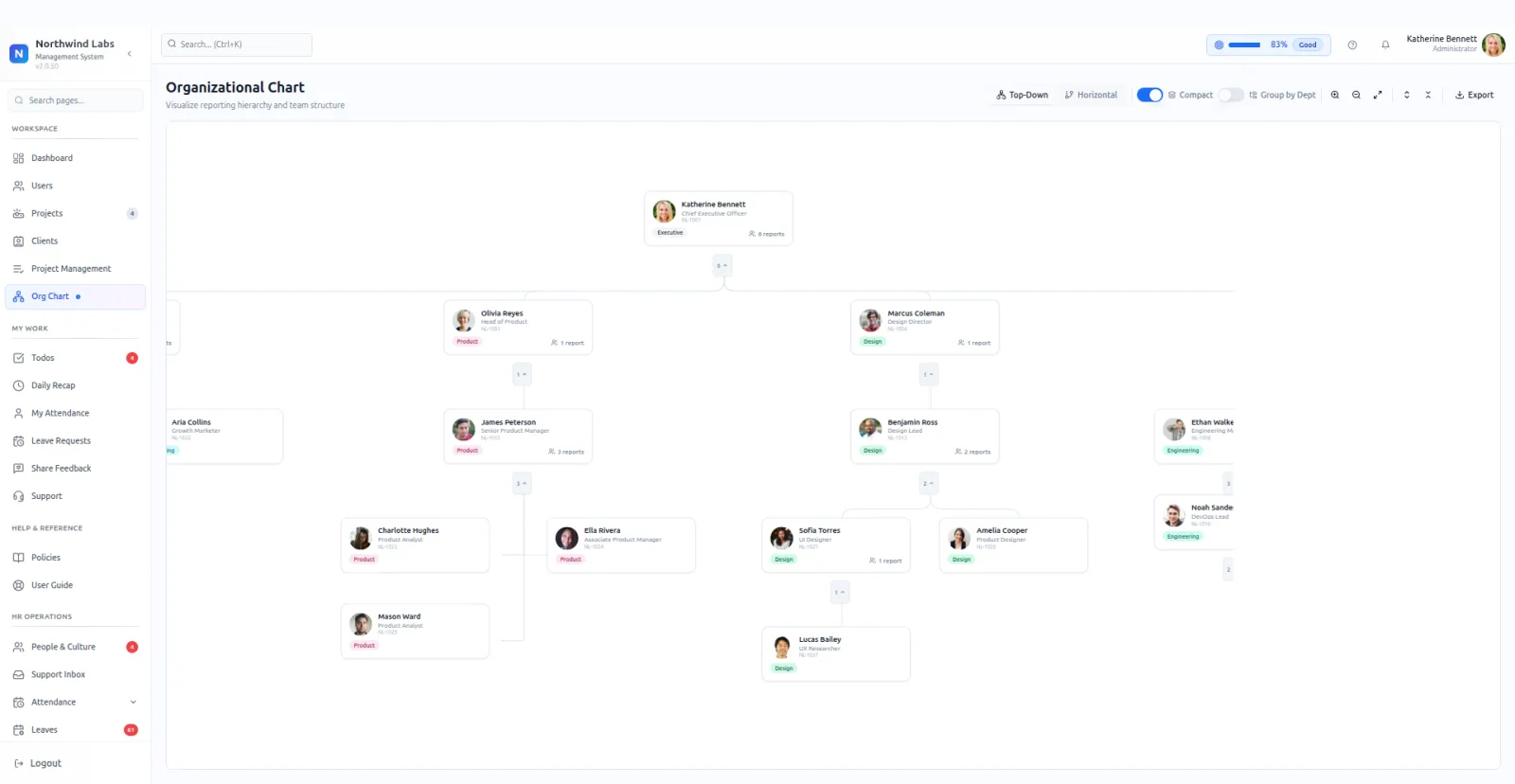
Three layouts suit three purposes. Top-down for a board slide, horizontal for a wide team, compact when you need the whole company on one screen without squinting.
Every node shows how many people report into it directly. Spans of control that have quietly grown to eleven become visible without counting anything.
Group by department to see the shape the company actually has, which is often not the shape anybody describes. Export when someone needs it outside the product.
The first render is usually the interesting one. Companies find branches they forgot about, two people both pointing at somebody who left, and a manager holding a span nobody agreed to. None of that is a software problem. The chart just stops it being invisible.
Filling the field is the entire setup. No drawing, no dragging boxes, no second copy to keep in step. Whoever maintains people records maintains the chart as a side effect of doing their normal job.
Onboarding is where it earns its keep. A new starter can see who sits above them, beside them and below them on their first morning, without asking three people the same question.
Because it renders from live records, a chart pasted into a deck ages the moment somebody moves. Export when you need a snapshot, and go back to the screen when you need the truth.
Departures show up immediately and awkwardly. Whoever reported to the person who left has nowhere to sit until somebody decides where they belong, and the gap stays on screen until that decision is made. Uncomfortable, and useful.
The compact layout is the one most companies settle on. Top-down looks right on a slide and runs off the side of a monitor at any real size, while compact keeps a whole department readable at once.
Keeping the chart honest costs nothing extra. There is no separate artefact to update, so the only way it goes stale is if the underlying records do, and those are being maintained anyway.
What it does
- Drawn from live data
- The chart follows the records. No parallel diagram to maintain.
- Three layouts
- Top-down, horizontal and compact, for a slide, a wide team or the whole company.
- Direct-report counts
- Each node shows its span, so an overloaded manager is visible at a glance.
- Group by department
- See the functional shape rather than only the reporting one.
- Export
- Take the current chart out when it is needed in a pack.
What it needs before it works
- The reports-to field filled in for everybody. One gap and a branch floats loose.
- Departments set on each person, for the grouped view to mean anything.
- A decision about who reports to whom, which is usually the real work.
Questions people ask
How does org chart software build the chart?
PeopleMuster builds it from the reports-to field on each person's record. Nobody draws it, and changing the field redraws the branch. Each node shows its direct-report count, and the whole chart can be grouped by department.
Which layout should I use?
Compact for everyday use, because a whole department stays readable on one screen. Top-down suits a slide, and horizontal suits a wide team.
What happens when somebody leaves?
Their reports float loose until they are pointed somewhere else. The chart shows that plainly, which is usually the prompt a company needs to decide who picks the team up.
Is the exported chart kept up to date?
An export is a snapshot of that moment. The screen itself is always current because it reads the records, so it is the place to check the latest shape.